AI & Automation
Published on
01.04.2026
Last updated on
01.09.2026
Pros and Cons of AI in Customer Service: An Honest Look (2026)

Oleksandr
AI Integrations Lead

Oleksandr
AI Integrations Lead
AI in customer service can drive serious growth – or serious damage. Some companies saw the 93% stock drop after replacing their agents with AI. But in reality, that's not an AI problem. It's a planning problem.
The insights in this article draw on EverHelp's own research and 43 live deployments across SaaS, eCommerce, and other industries.
It’s the real outlook on AI in customer service: benefits, setbacks, real applications, and trends to follow in 2026.
The business case for AI in customer service has moved well beyond theoretical. The benefits of AI in customer service are now backed by data from thousands of live deployments, including our own.
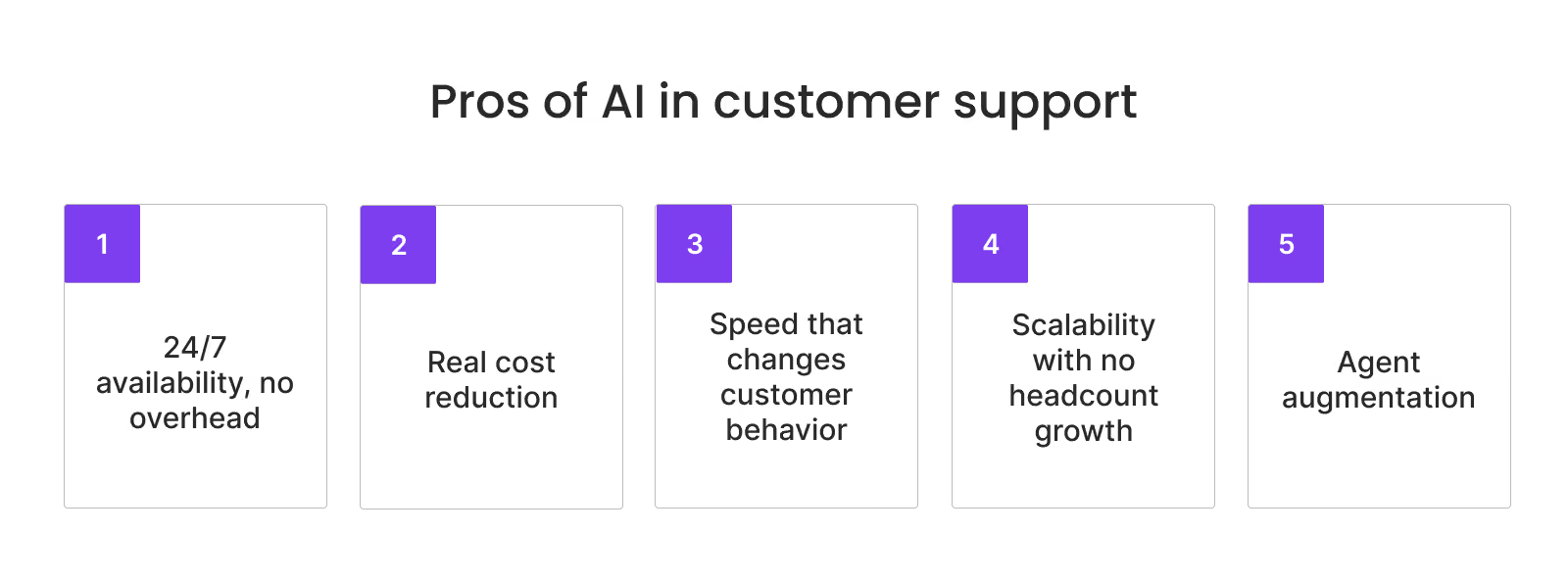
Human agents sleep. AI doesn't. For global businesses serving customers across time zones, this alone is transformative. AI-powered support means a customer in Tokyo doesn't have to wait until a European team clocks in to get an answer about their account.
This availability advantage compounds when you factor in speed. AI-native platforms consistently achieve average handle times under 3 minutes for resolved interactions – well below the 4–7 minute industry average for human-assisted voice calls. Our own Evly AI customer service agent delivers first response times under 15 seconds.
Let's be precise: 50% automation translates to approximately 35% reduction in operational costs, based on EverHelp's deployments.
Fewer routine tickets reaching human agents means lower staffing requirements and lower cost per resolution.
The broader data supports this:
None of this means you fire your support team. It means that the team can focus on the interactions that actually need human judgment. EverHelp proved this firsthand with Title, a styling service app where AI integration reduced support costs by 54% — without a single layoff.
{{cta-lm}}
The connection between first-response time and customer retention is well-documented. Customers feel the difference before they've even read the reply.
Here's what it looks like across 1,000 daily inquiries:
Seasonal spikes, product launches, viral moments – all of these can overwhelm a fixed support team overnight. AI, on the other hand, scales instantly, without the hiring timeline. Key advantages:
Perhaps the most underrated benefit of AI isn't what it does for customers, it's what it does for agents.
For example, our AI Copilot model delivers AI-generated response drafts and context summaries directly to agents before they read the ticket, resulting in 3x faster ticket handling with humans making every final call.
This matters especially for shared support teams managing multiple products simultaneously. AI handles the knowledge retrieval; humans provide the judgment.
That's human+AI in practice, not just in theory.
{{cta}}
This is the section most vendors skip. We won't.
AI-powered customer service comes with real failure modes, most of which are predictable and therefore preventable. The following is drawn from patterns we've observed across 43+ deployments.
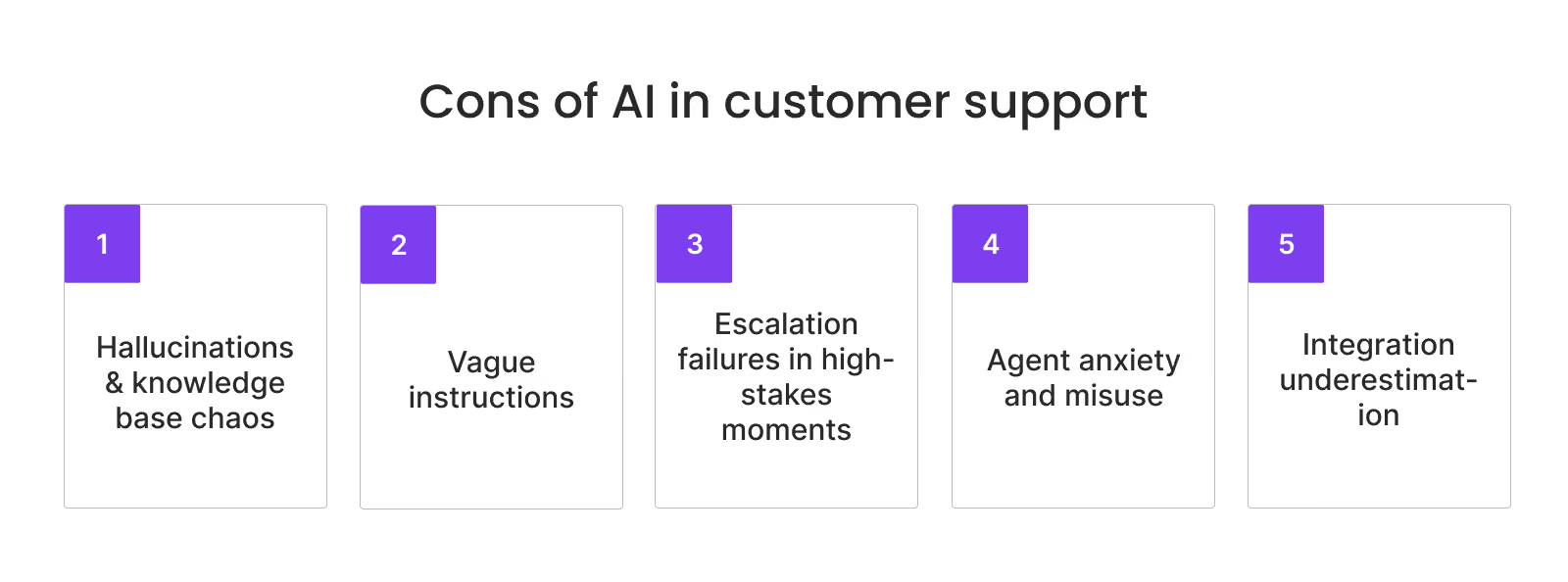
AI is always designed to generate a response, even when the correct answer isn't in its training data.
In one of the testing deployments, our AI offered a 30% "VIP recovery discount" intended only for escalated complaints to a first-time visitor (first-time shopper case testing) who simply asked about available discounts. The knowledge base hadn't been separated from internal documentation, so that became the reason for hallucination.
The fix is architectural: build a completely separate knowledge base for AI containing only customer-facing information: no internal policies, no draft pricing, no Slack discussions.
Pro tip: Before go-live, implement automated PII detection to scan your knowledge base for sensitive data: payment details, credentials, internal financials. What you don't catch before launch becomes nearly impossible to remove after the AI has processed it.
Telling AI what not to do rarely works.
"Don't share payment information" is weaker than "When discussing payments, reference only the last 4 digits and transaction date."
Affirmative, specific instructions outperform vague prohibitions almost every time. When rules conflict – "retain users at all costs" vs. "never discount over 20%" – clear if-then logic is the only reliable resolution.
Pro tip: For every policy that could create a conflict, write an explicit decision tree: "If [condition], then [action]. If [alternative condition], then [alternative action]."
When a customer is frustrated, facing a legal issue, or close to churning, a missed escalation is costly.
The solution is a specific, testable escalation framework:
This requires more upfront work than most clients expect, but it's the most important layer in any deployment.
Pro tip: Build a library of escalation triggers before you write a single AI instruction. Start with legal language, emotional signals, and sensitive topics. Test each trigger against real historical tickets before going live.
Research shows 70–80% of customer service representatives are anxious about being replaced by AI.
That anxiety has real operational consequences. In one of our deployments, agents misunderstood how the AI Copilot worked, treating AI-generated internal comments as sent responses, then closing tickets without ever communicating with the customer.
The fix isn't technical; it's cultural. Clear training, transparent communication about the hybrid model, and a genuine commitment to agent retention make the difference between smooth adoption and resistance that undermines the whole deployment.
Pro tip: Don't announce the AI rollout the day it goes live. Involve agents early: in testing, in defining escalation rules, in reviewing AI responses. Agents who help shape the system and are free to provide feedback are far less likely to resist it. At EverHelp, this approach contributed to a 90% agent retention rate even after AI implementation.
The level of automation you achieve directly depends on how deeply AI can access your systems.
An AI connected only to a knowledge base can resolve basic questions, but higher automation requires real operational data. The more integrations you enable, the more independently AI can act, especially when customers ask account-specific questions like “Where’s my refund?”, one of the most common support requests across industries.
Automation levels explained:
Pro tip: Match your integration depth to your automation target before you start, not after. If your goal is 60%+ automation, put CRM and payment system integration on the project plan from day one.
The short answer: yes – when implemented with intention.
92% of businesses report improved CSAT after implementing AI, and mature AI adopters report 17% higher customer satisfaction compared to those without it (IBM).
By the way, our own deployments have seen AI CSAT scores consistently exceed those of human agents across routine ticket categories.
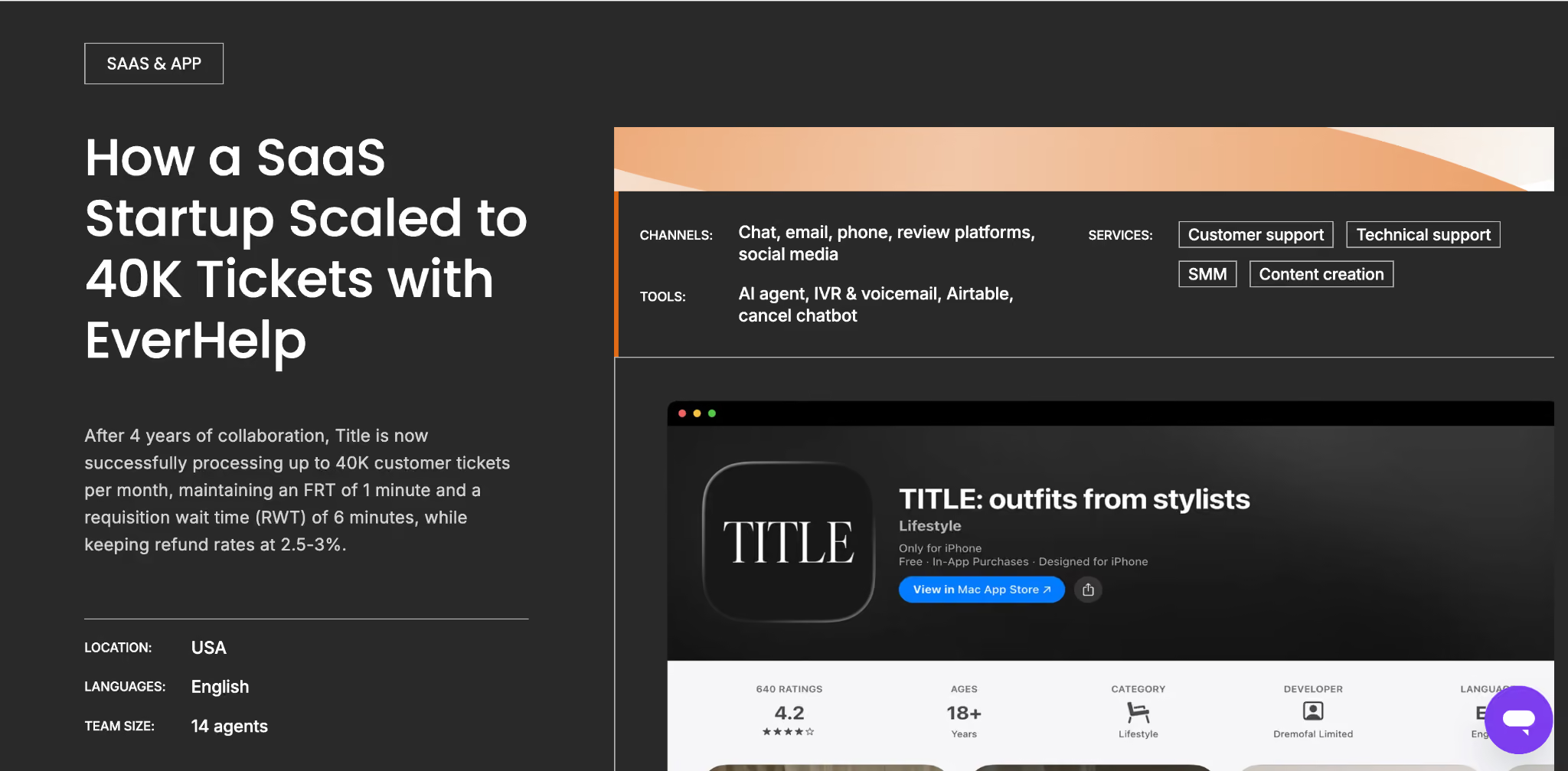
Industry: SaaS – styling app
Title came to EverHelp with no support infrastructure. We built the operation from scratch: 20 agents, a 20-second FRT, handling 50K monthly requests. As volume scaled, AI took over high-frequency, low-complexity inquiries and reduced the team size.
Key results:
Industry: SaaS – PDF editing tool
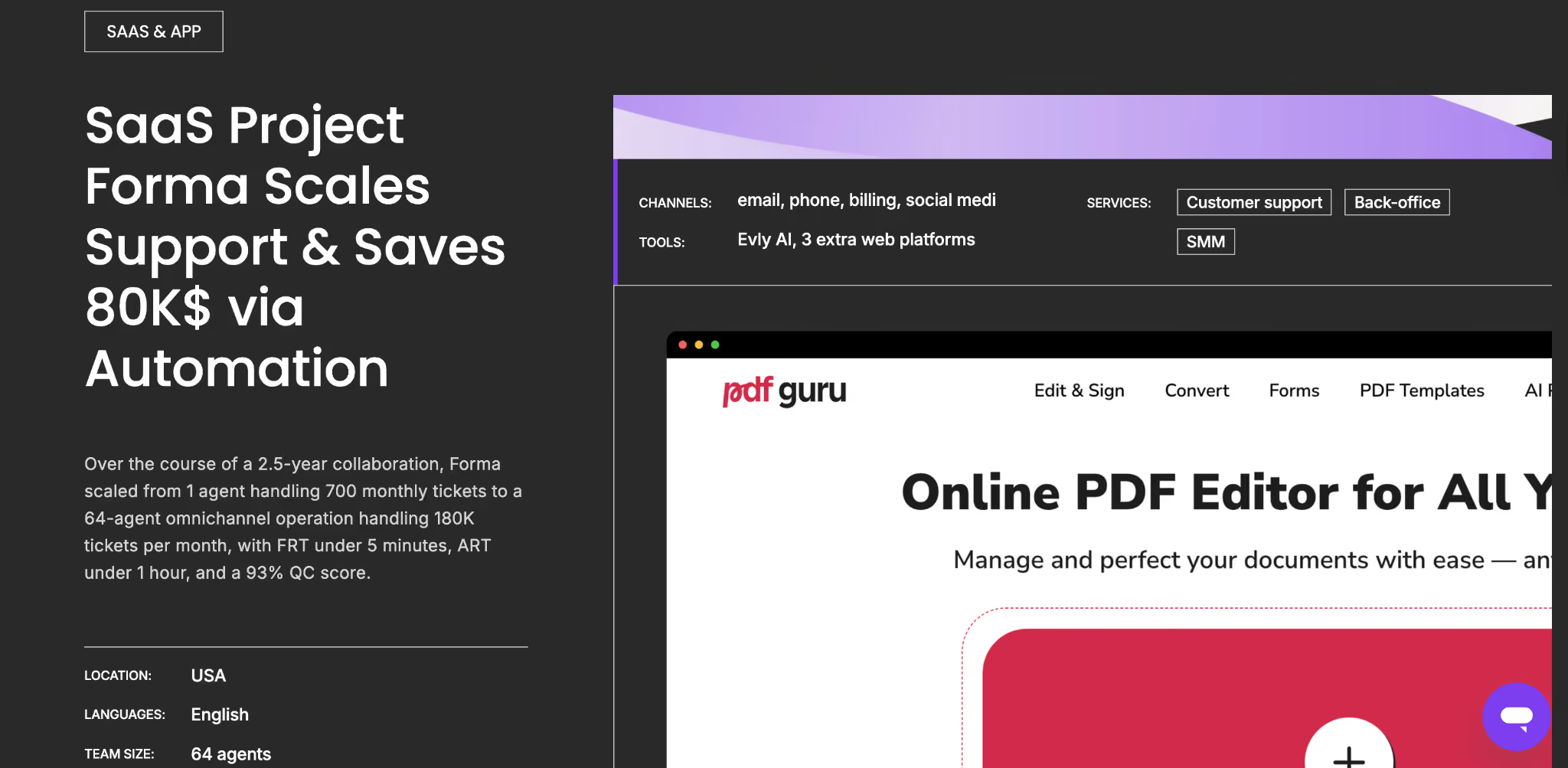
Forma (formerly PDF Master) started with one agent managing hundreds of monthly requests. EverHelp scaled the team to 60+ agents across time zones and layered in AI for the highest-volume ticket type – subscription cancellations.
Key results:
The improvement in both cases comes from the same source:
AI never has a bad day. It doesn't accidentally apply the wrong policy because it's toggling between six products at once. So, when the knowledge base is clean and the escalation logic is clear, AI delivers personalized customer service with a consistency level that's genuinely hard to match at scale.
In our recent contact center AI news research, EverHelp's AI Integrations Lead tracked contact center AI developments throughout 2025, monitoring industry surveys, live deployment data, and analyst reports to map where the market was actually heading, not just what vendors were claiming. The conclusion was clear: the pilot era is over.
79% of senior executives say AI agents are already being adopted in their companies, and 88% plan to increase AI‑related budgets in the next 12 months due to agentic AI. (PwC)
And 91% are under pressure to implement AI in 2026, driven by executive leadership, not just ops teams. (Gartner)
Here are the six developments shaping deployments right now.
Unlike traditional chatbots that follow rigid scripts, agentic AI interprets goals, makes independent decisions, and completes multi-step tasks like processing refunds, updating accounts, and scheduling callbacks without human sign-off at each step.
Gartner predicts agentic AI will autonomously resolve 80% of common customer service issues by 2029, alongside a 30% reduction in operational costs. Organizations building this capability now will have a meaningful head start.
Where to start: Identify 2–3 high-volume, well-defined ticket types where AI can take action end-to-end: order status checks, subscription cancellations, password resets. Connect AI to one backend system first. Measure resolution rate, not just deflection rate; the two are very different metrics.
{{cta}}
80% of CX leaders say voice-centric AI is ushering in the next era of customer service interactions (Zendesk). The latest platforms combine low-latency natural speech with real-time sentiment analysis, allowing the AI to adjust tone and escalation logic based on how a customer sounds, not just what they type.
This makes voice AI viable for categories that previously required human empathy:
Where to start: Audit your phone support volume and identify the top 5 most common call reasons. Pick the simplest, most frequent one, typically account inquiries or status checks, and pilot voice AI there first. Measure containment rate and CSAT separately for AI-handled vs. human-handled calls.
Static, one-size-fits-all responses are being replaced by interactions that pull from a customer's full history – purchases, previous tickets, browsing behavior, subscription tier – before the conversation begins. 66% of global customer service managers optimizing with AI use generative AI specifically to increase personalization. This shift also explains why multilingual support is becoming an AI capability rather than a staffing problem.
Where to start: Connect your AI to CRM data before anything else. Even basic customer history, like subscription tier, last ticket topic, and account age, meaningfully improves response relevance. Full personalization doesn't require a complete data infrastructure overhaul; it starts with one connected system and expands from there.
Despite the push toward automation, 79% of customers still prefer interacting with humans for complex service issues. The organizations leading in 2026 aren't maximizing automation percentage; they're designing hybrid models where AI handles the predictable and humans handle the meaningful.
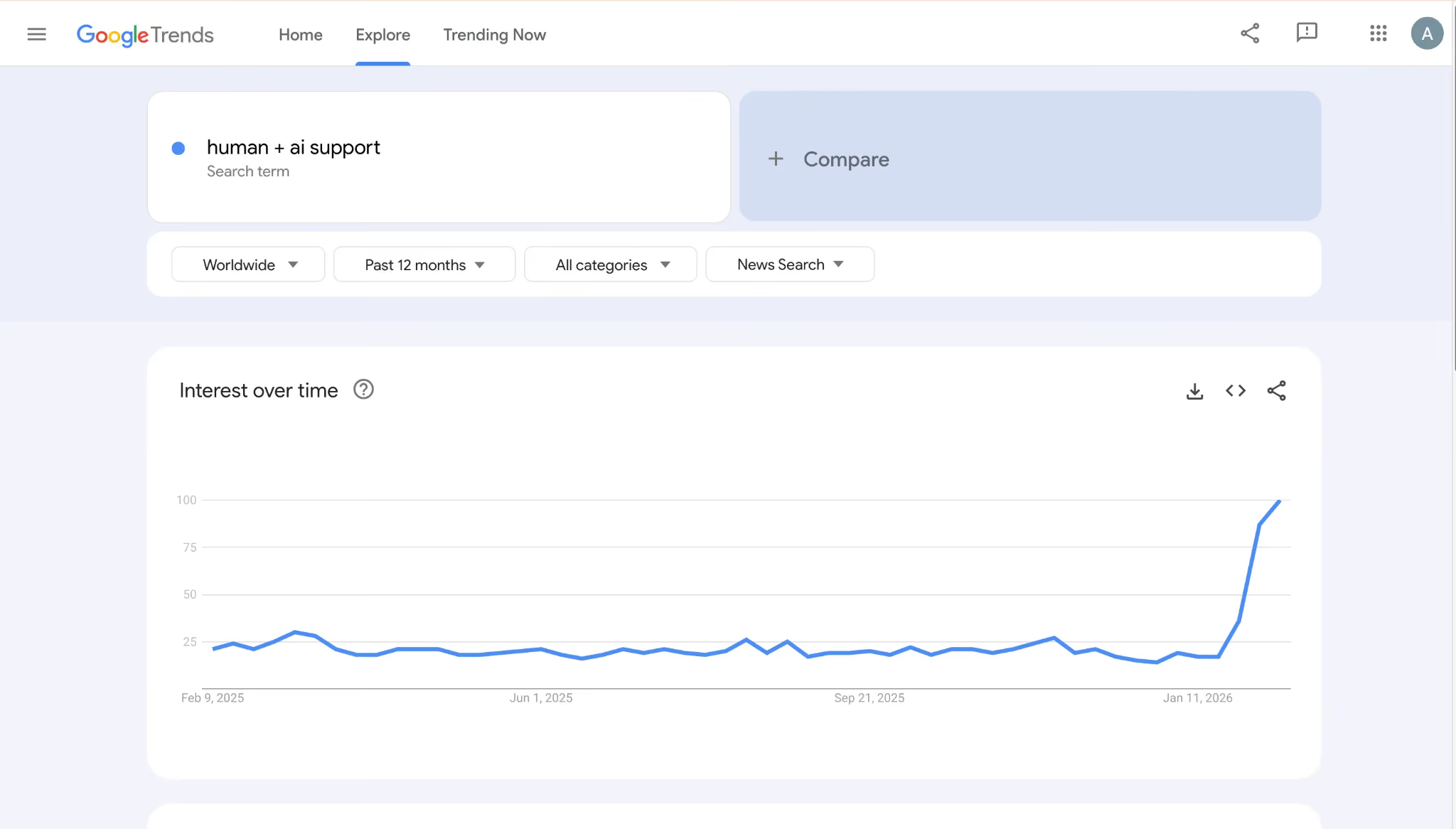
As EverHelp's own analysis of 2025's contact center landscape notes, the hottest industry topic for the past 12 months has been human+AI collaboration, and that interest continues to grow.
Where to start: Map your ticket types into two categories: predictable (AI-ready) and judgment-required (human-essential). If you're unsure where to draw the line, our task division framework in the AI in customer service handbook is a practical starting point.
Traditional post-conversation surveys have a ~3% response rate and capture only extreme experiences. AI-backed CSAT analysis is replacing them: AI evaluates every interaction and generates a satisfaction score from real behavioral signals:
The result is a far more accurate signal of actual support quality, sortable by agent, ticket type, and channel.
In one of our early deployments, Evly AI achieved a 64.0% CSAT score on routine tickets, outperforming both the client's existing bot (58.8%) and human agents (47.6%), while reaching a Quality Control score of 92%. That kind of benchmark is only visible when you're measuring every interaction, not just the 3% who respond to a post-chat survey.
Where to start: Audit what CSAT signals you currently capture. If you rely solely on post-conversation surveys, you have a visibility gap across 95%+ of your interactions. Start by logging AI conversation outcomes alongside human ones, and you'll have a usable CSAT signal within weeks.
Today’s AI can handle sensitive interactions:
Hence, security is moving from an afterthought to a design requirement. GDPR, CCPA, PCI-DSS, and HIPAA all have implications for what information AI can store, process, or reference. Organizations that build for compliance from the start avoid the costly retrofitting that follows a data incident. Choosing the right AI live chat software with proper data governance is as much a legal decision as a technical one.
Where to start: Before selecting any AI platform, map the data categories it will access: PII, payment data, and health information. Run a compliance check against your knowledge base before go-live, and implement automated PII detection and redaction as a baseline. What enters the AI's training data is difficult to remove after the fact.
The most important thing to understand upfront: AI implementation is not a project with a finish line. It's an ongoing operational discipline. Based on our deployments, here's the framework we use with every new client.
One rule that holds across every project: never try to automate everything at once. Start with the highest-volume, easiest ticket type. Deploy, refine, test, then move to the next. A steady and phased rollout consistently outperforms a big-bang approach – in quality, in team adoption, and in long-term ROI.
Before building your AI implementation plan, it's worth understanding how AI customer service tools are typically priced. Costs vary significantly based on automation scope, channel coverage, and integration complexity.
See the full breakdown on AI Agent Pricing Models.
The pros are real: 54% cost reduction, sub-30-second response times, scaling operations without proportional headcount growth. We've seen all of it firsthand.
So are the cons: hallucinations, missed escalations, and integration complexity that catches off guard. We've seen all of that firsthand, too.
What separates the businesses that benefit from those that don't isn't the tool; it's the groundwork, as we mentioned in the article. Get those right, and the pros consistently outweigh the cons.
If you're still weighing your options, our team is happy to walk through what an AI implementation could look like for your specific support setup, no commitment required. Let’s talk!
When implemented correctly, AI delivers across the board:
The most common failure modes are all preventable with the right planning. They are:
No, and attempting full replacement is one of the fastest routes to reputational damage. The optimal model is hybrid: AI handles routine, high-volume, and repetitive queries; humans manage complex, emotional, and exceptional cases. Our deployments consistently show that AI-powered customer service works best as a complement to human expertise, not a substitute for it.
Help someone else stay in the know. Hit that share button!
.webp)

.webp)
.avif)
.avif)
.webp)
.webp)